
Connect Garmin to Claude in four steps
- Get PB-Runner on your phone, then open Settings, then Garmin, then Connect your Garmin.
- Sign in on Garmin's own page and allow access.
- In Claude, go to Settings, then Customize, then Connectors, search for PB-Runner Running Coach and click Connect.
- Turn on Send my sessions to Garmin Connect, then ask Claude for a workout. Say yes and it goes to your watch.
Each step is below in full, with what to do if something doesn't work.
What you need
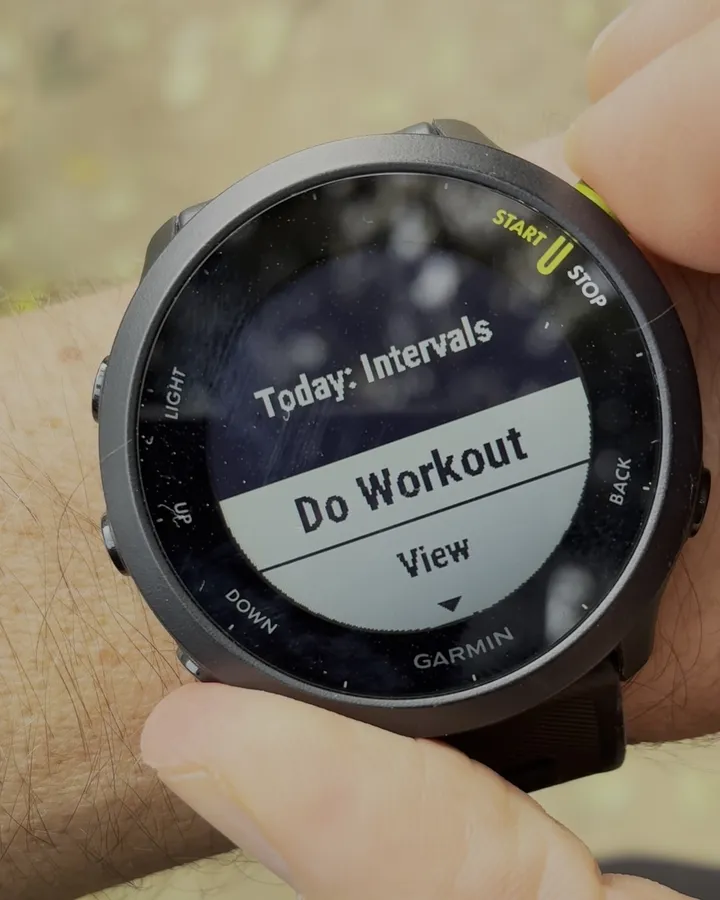
- A Garmin watch that syncs with the Garmin Connect app.
- PB-Runner on your iPhone or Android phone, free to download.
- A Claude account, at claude.ai or in the Claude desktop app. The free plan works.


1. Connect your Garmin to PB-Runner
The direct way, on iPhone and Android. The runs you record with your Garmin from now on come into PB-Runner by themselves, a few minutes after your watch syncs.
- In the PB-Runner app, open Settings, then Garmin, then Connect your Garmin.
- Tick the box confirming that, if you use an AI assistant with PB-Runner, you've turned off model training in it.
- Tap Continue to Garmin Connect, sign in to Garmin and allow access.
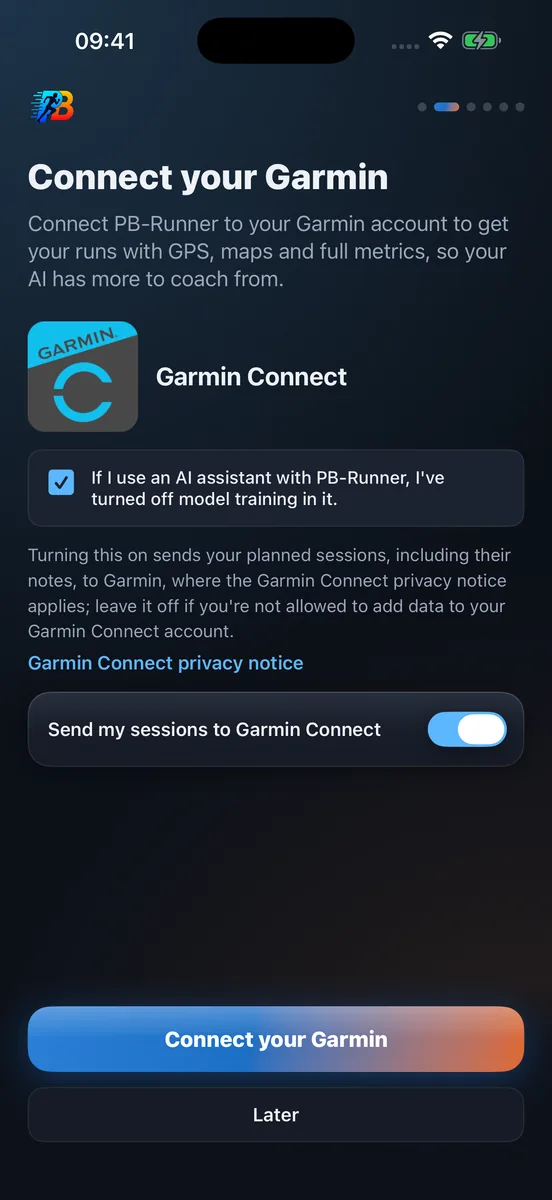
You sign in on Garmin's own page, so PB-Runner never sees your Garmin password. Earlier runs aren't included, and only running activities come in. Older Garmin history can come in from a CSV export.
2. Connect PB-Runner to Claude
- Open PB-Runner Running Coach in Claude's directory, or in Claude go to Settings, then Customize, then Connectors, and search for PB-Runner Running Coach.
- Click Connect.
- Sign in with the same Apple or Google account you use in the PB-Runner app, and approve.
There is nothing to install. Claude connects to PB-Runner from Anthropic's cloud, not from your computer, so it works in the browser at claude.ai and in the Claude desktop app. On a Team or Enterprise plan, an owner of the organisation has to turn connectors on first.
Can't find it in the directory? Add it by its address instead: in Settings, then Customize, then Connectors, click Add, then Custom, then Web, name it PB-Runner and paste https://mcp.pb-runner.com/mcp. Then click Continue and sign in the same way.
Then start a new chat. If Claude asks which tools to use, make sure PB-Runner is switched on: the plus button in the chat box, under Connectors. Ask, for example:
"Look at my Garmin runs from the last month and plan my next two weeks."
3. Send Claude's workouts to your Garmin
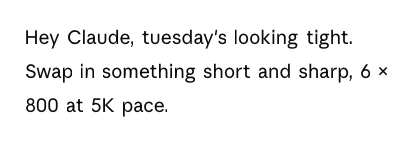
Every session Claude writes is proposed first and saved when you say yes. Two ways to run it on the watch:
- Garmin's own workout player: in PB-Runner, turn on Send my sessions to Garmin Connect (under Settings, then Garmin, once connected). Your sessions for the next 14 days go onto your Garmin Connect calendar, and your watch plays them once it syncs.
- The PB-Runner watch app, from the Connect IQ Store. It plays the session step by step, with your target on screen and a buzz and a tone at every change, then sends the run back with its route, a time for every kilometre and what you did in each rep.
Use one of the two for bringing runs in: Connect your Garmin, or the PB-Runner watch app. Using both can show a run twice. The watch app's manual covers the rest.
What Claude can see, and what it can't change
- Every Garmin run since you connected: distance, pace, elevation and heart rate.
- A split for every kilometre, your best efforts and your personal bests.
- Every rep of a structured workout, with what you actually ran.
- Your resting heart rate, HRV and sleep, once you turn on Daily Health Stats in Garmin Connect.
- Your plan, and which sessions you've done.
Claude can't edit or delete your runs, and it never touches the activities in your Garmin Connect account. What it writes is your plan: each session is shown to you first, and saved only when you say yes.
If something isn't working
| What you see | Why | What to do |
|---|---|---|
| Claude answers without your runs | WhyPB-Runner is switched off in this chat, or Claude is signed in with a different account. | What to doSwitch PB-Runner on with the plus button in the chat box, under Connectors. If that isn't it, connect again with the same account as the app. |
| PB-Runner isn't in the directory search | WhyThe search didn't match the name. | What to doUse the directory link above, or add it by its address, as in step 2. |
| Connectors aren't available on a work account | WhyOn a Team or Enterprise plan, connectors start switched off. | What to doAsk an owner of the organisation to turn them on, or use a personal Claude account. |
| A Garmin run is missing | WhyThe watch hasn't synced yet, or the run is from before you connected. | What to doSync the watch in Garmin Connect and give it a few minutes. Older runs come in from a CSV export. |
| The workout isn't on the watch | WhySend my sessions to Garmin Connect is off, or the watch hasn't synced since. | What to doTurn it on under Settings, then Garmin, then sync the watch in Garmin Connect. |
Things you can ask
- Plan my next 4 weeks for a sub-50 10K.
- Put 6 × 400 m on my watch for Thursday.
- How did today's run compare to last week?
- What could I run a half marathon in now?
- Move my long run to Sunday.
Garmin and Claude: questions runners ask
Can I connect my Garmin to Claude?
Yes. Connect your Garmin to PB-Runner, a free running app, then connect PB-Runner Running Coach from Claude's connector directory. Claude then reads your Garmin runs and can send workouts to your watch.
How do I connect Claude to my Garmin watch?
In the PB-Runner app, open Settings, then Garmin, then Connect your Garmin, and sign in to Garmin. Then in Claude, go to Settings, then Customize, then Connectors, find PB-Runner Running Coach and click Connect, with the same account.
Does Garmin connect to Claude?
Not by itself: Garmin doesn't make a Claude connector. PB-Runner sits between the two and connects them both ways.
Is there a Garmin Claude connector or MCP server?
PB-Runner Running Coach is one: an MCP connector listed in Claude's connector directory, so there is nothing to install or run on your computer. It reads your Garmin runs and writes your workouts back to your watch.
How do I link Garmin Connect to Claude?
Link Garmin Connect to PB-Runner first, then connect PB-Runner in Claude. You sign in on Garmin's own page, so neither PB-Runner nor Claude ever sees your Garmin password.
Can I sync Garmin with Claude?
Yes, through PB-Runner. Each run reaches Claude a few minutes after your watch syncs with Garmin Connect, and the workouts Claude writes sync back to your Garmin Connect calendar.
Do I have to export my Garmin data to Claude?
No. With PB-Runner there are no files to export or upload: your runs come in by themselves from the day you connect. Only older runs, from before you connected, need a Garmin Connect export, once: import your Garmin history.
Can Claude send a workout to my Garmin?
Yes. Turn on Send my sessions to Garmin Connect, ask Claude for the workout and say yes. It goes onto your Garmin Connect calendar, and your watch plays it in Garmin's own workout player once it syncs.
Can I connect Garmin to Claude for free?
Yes. PB-Runner is free on the App Store and Google Play, and its connector works on every Claude plan, the free one included. Reading your runs, talking them through and saving a plan stay free, and your first training block plays in full on the watch with no card needed. What a subscription adds is on the plans page.
Does it work outside the US?
Yes. PB-Runner is made by a UK company, and the Garmin connection and the Claude connector work outside the United States.
Can Claude change or delete my Garmin activities?
No. Claude reads your runs through PB-Runner and never changes or deletes an activity in Garmin Connect. What it can write is your plan, and you see each session before it's saved.
How do I disconnect Garmin from Claude?
In Claude, go to Settings, then Customize, then Connectors and remove PB-Runner Running Coach. To end the Garmin side too, open Settings, then Garmin in PB-Runner and tap Disconnect.
Related
- Prefer ChatGPT? How to connect your Garmin to ChatGPT
- Using OpenClaw? How to connect your Garmin to OpenClaw
- Garmin AI connectors: read-only vs two-way coaching
- An AI training plan on your Garmin, week after week
- Import your Garmin running history
- Every Apple Watch running metric, read by Claude
- Connecting Claude, in the setup guide