
Connect your AI
PB-Runner doesn’t sell you another AI coach. You connect an AI to your running data and it becomes one: it reads your training, sets your goal with you, builds your plan and puts every session on your phone or your wrist.
If you’ve never used an AI assistant, this chapter takes you from nothing to a training plan built for your race. It costs nothing and takes about ten minutes.
Don’t have the app yet? Get PB-Runner on the App Store, free.
Four steps to your first plan
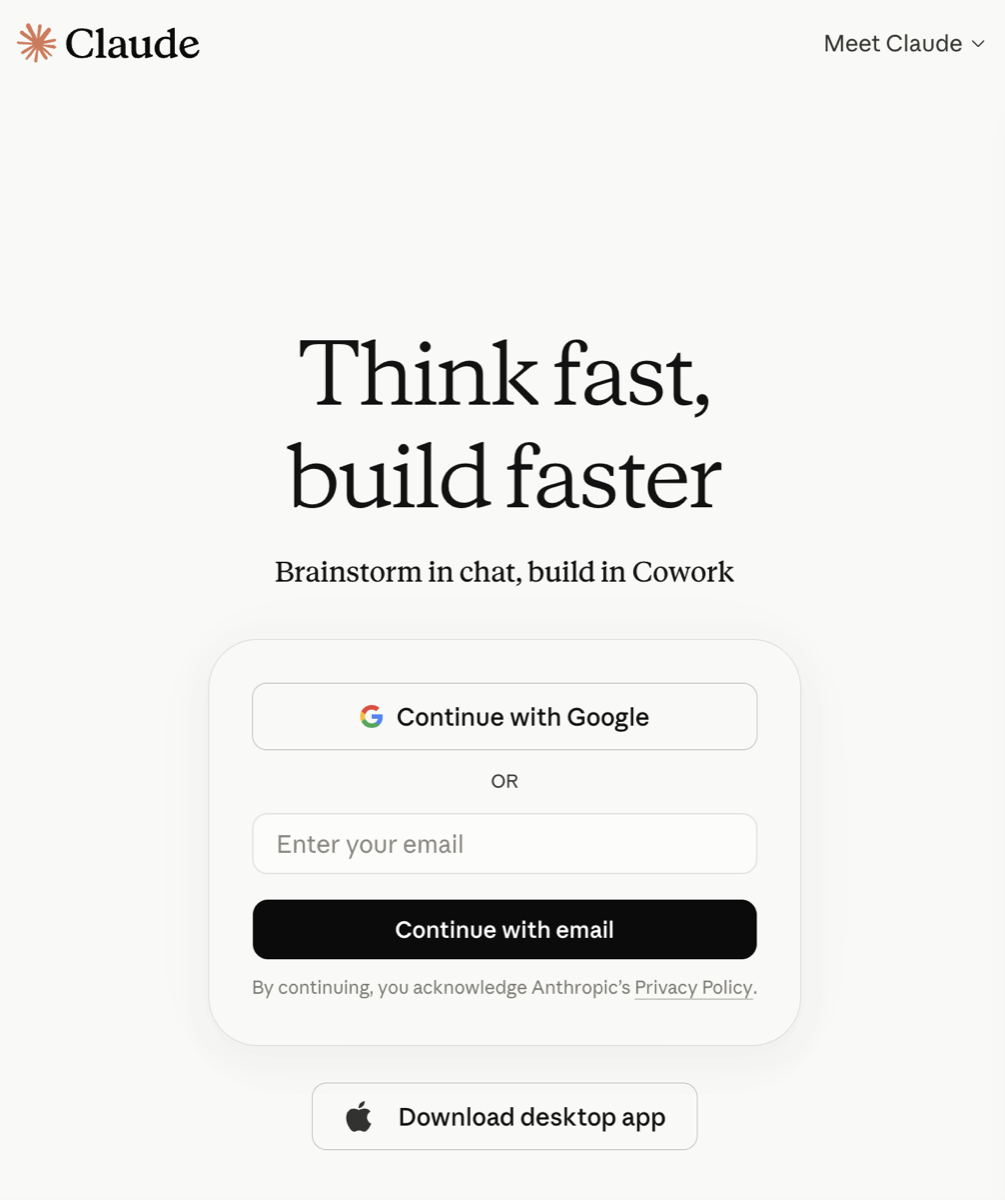
Create a free Claude account
Claude is an AI assistant made by Anthropic. The free plan is all you need.
- Go to claude.ai
- Sign up with your email, or your Google or Apple account.
No card details, no trial that runs out.
Connect PB-Runner
You add the connector in Claude’s settings. They are the same in the browser at claude.ai and in the Claude desktop app; the phone apps can’t add a connector, so do this part on your computer.
- In Claude, click your name at the bottom left, then Settings.
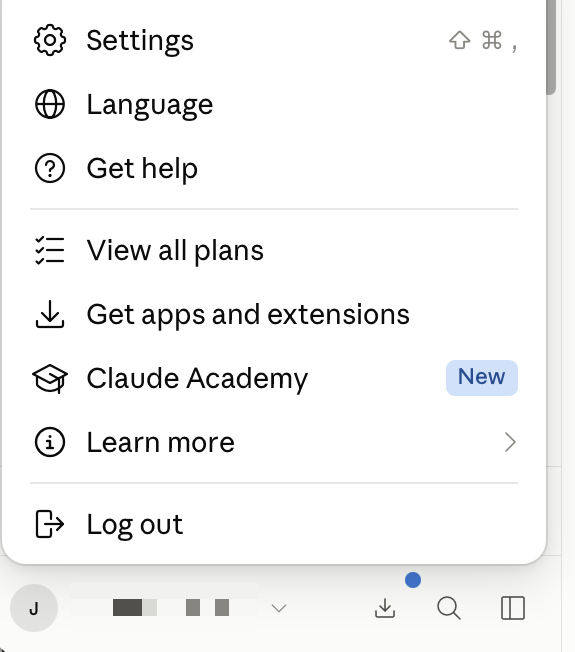
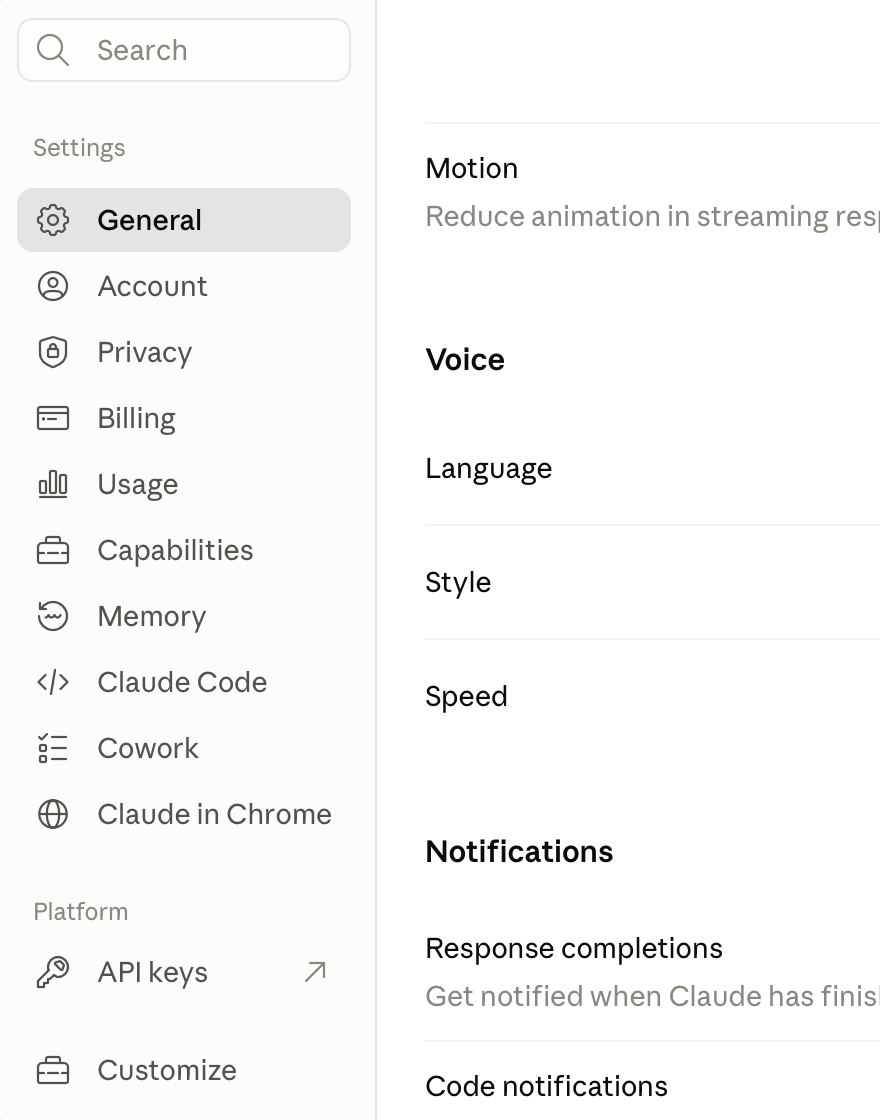
- Click Customize at the bottom of the settings menu.
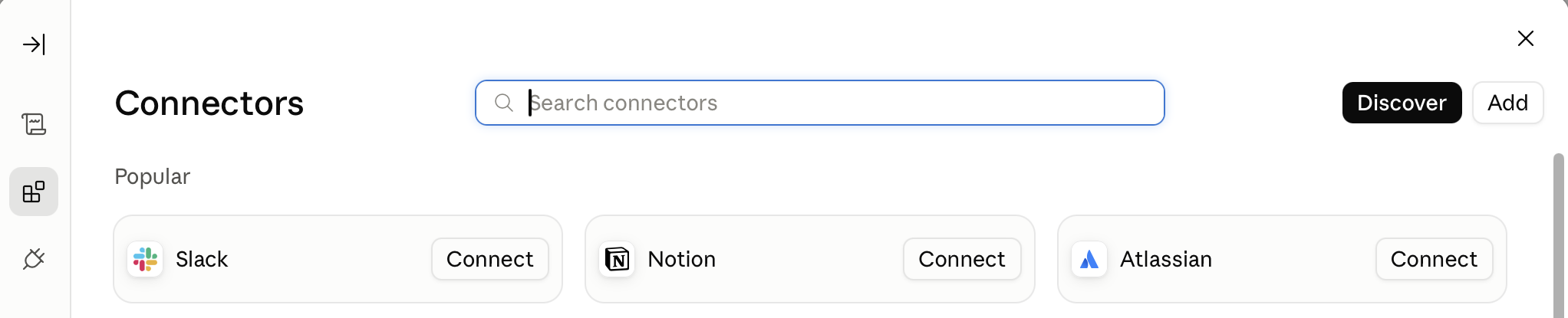
- A new panel opens. In the thin bar on its left, click the squares icon, the second one below the arrow at the top. The panel is called Connectors. Click Add at the top right.
- A window opens. Name it PB-Runner, and paste this link in the address field:
https://mcp.pb-runner.com/mcp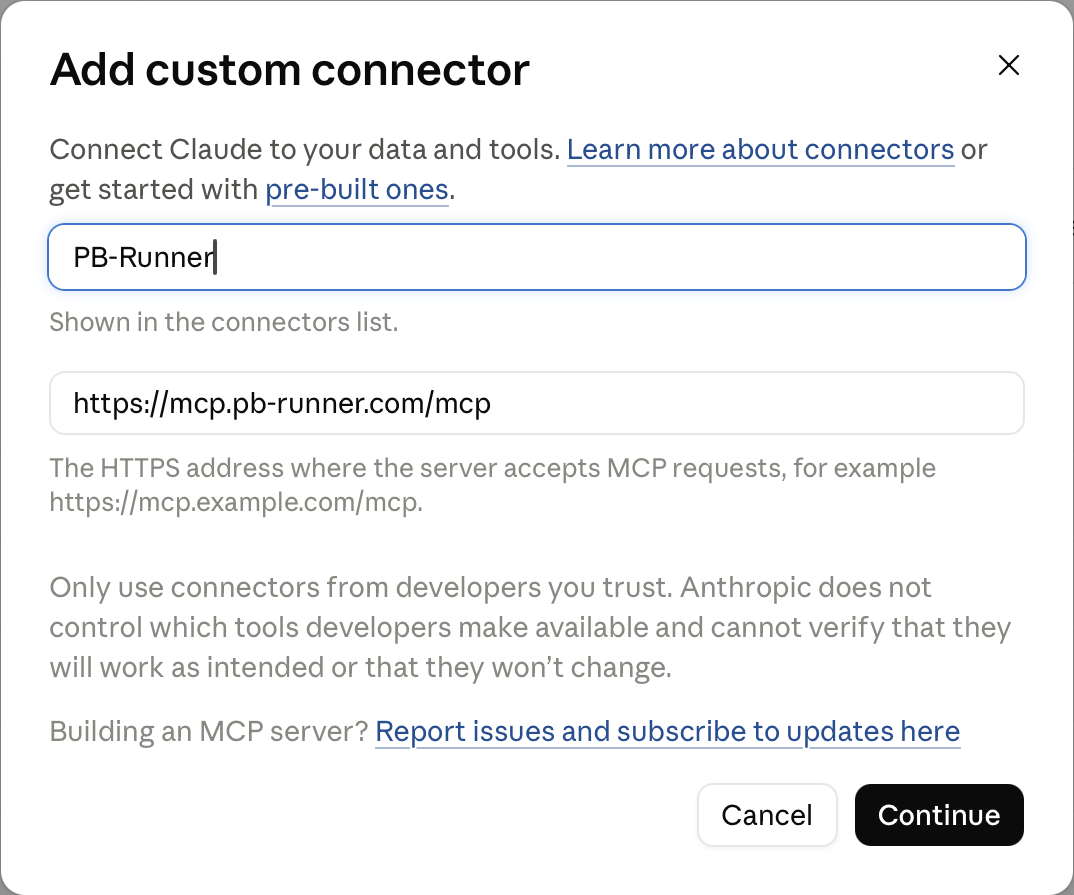
- Click Continue, then sign in with the same Apple or Google account you use in the PB-Runner app, and approve.
There is nothing to install. The link is PB-Runner’s public address, and Claude connects to it from Anthropic’s cloud, not from your computer.
Prefer an app on your computer? The Claude desktop app from claude.com/download works too: same settings, same steps.
A free Claude account can add a custom connector, and one is all this takes: PB-Runner. If Claude says the connector already exists, or that you have reached your limit, remove the old one from the same place you added it (Settings, then Customize, then Connectors) and add it again.
Already paying for an AI?
Everything above works on paid Claude plans too, with higher usage limits. And Claude isn’t the only door in.

Tell it your race and your goal
Start a new chat. If Claude asks which tools to use, make sure PB-Runner is switched on (the plus button in the chat box, under Connectors). Then tell it what you’re training for, in plain words:
“I’m running a 10K on 22 August. My best recent 10K effort is 52:30 and I want to finish under 50 minutes. Set that as my goal.”
Claude reads your recent training through PB-Runner, sanity-checks the goal against your current fitness and proposes it back to you. Nothing is saved until you confirm. Once you do, the goal appears in the app’s Training Hub. If you already set a goal on a race page in the app, just ask Claude to look at it instead.
Ask for a plan to race day
“Build me a training schedule from today to race day that gets me there. Three runs a week, long run on Sundays.”
Claude proposes the plan week by week and you confirm it. The sessions land in your Schedule in the app, and each one plays as a guided run with live cues on your Apple Watch, your Garmin or your phone. From here it is a rhythm: run the week, check in, each week shaping the next. Your coach keeps a coaching note about you so each chat starts where the last one ended.
Life happens. Move things.
The plan is yours, not a contract. Tell Claude what changed and it rewrites what’s ahead:
“I can’t run Thursday. Move it to Friday.”
“This week got away from me. Rebuild the next two weeks a little easier.”
Anything you’ve already run stays on your record exactly as you ran it. Only the future moves.
The points keep you honest
Every planned session is scored out of three when you run it: one point for showing up, one for hitting the distance, one for holding the pace.
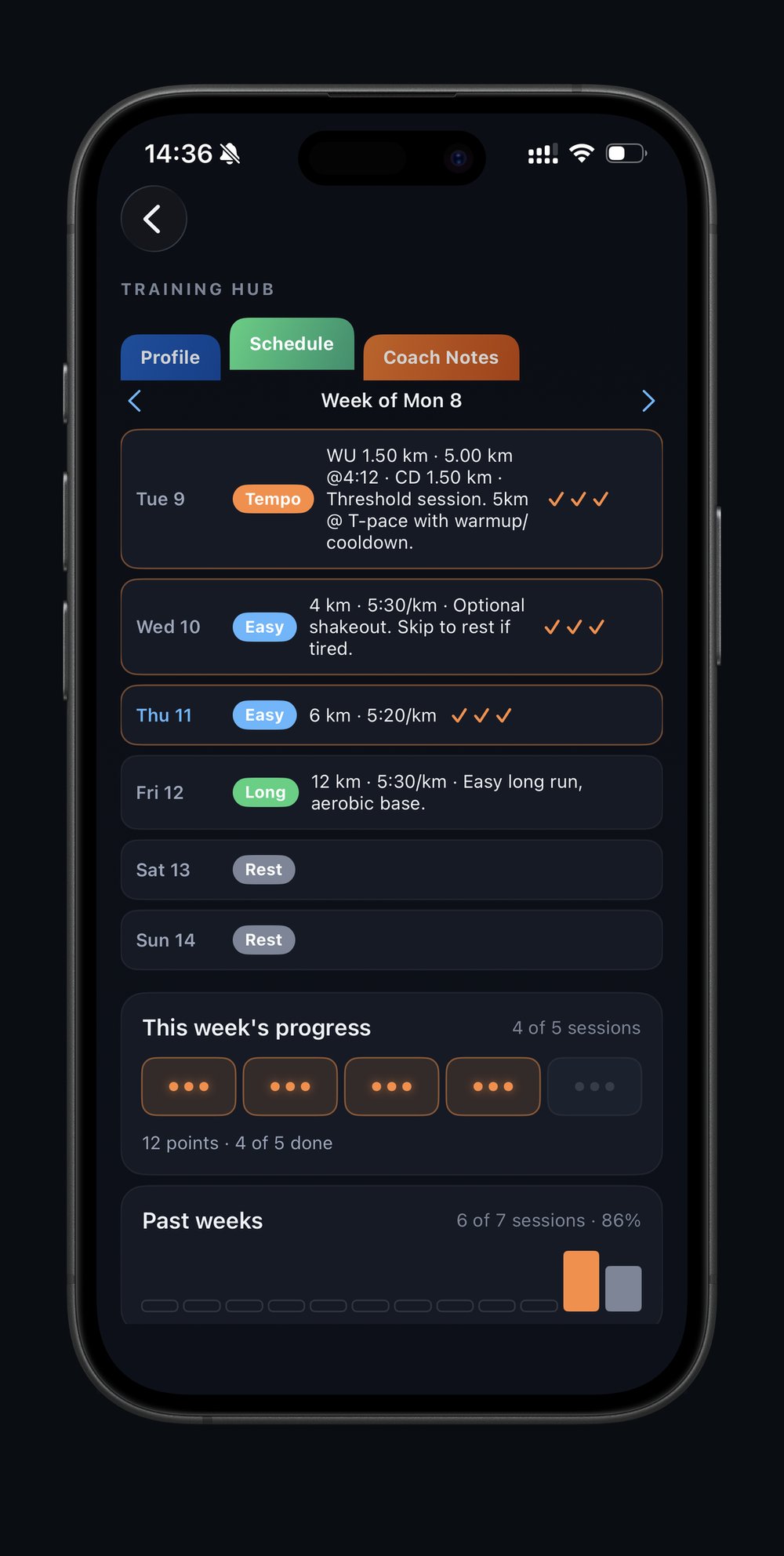
Your week fills in on the Training Hub as you go, and you can ask Claude at any time:
“How am I tracking against my goal?”
It answers with your adherence over recent weeks and what your current fitness predicts for race day.
Apple Watch and iPhone
PB-Runner reads your runs from Apple Health. Once you are signed in and Health access is on, new runs arrive on their own and there is nothing else to keep an eye on.
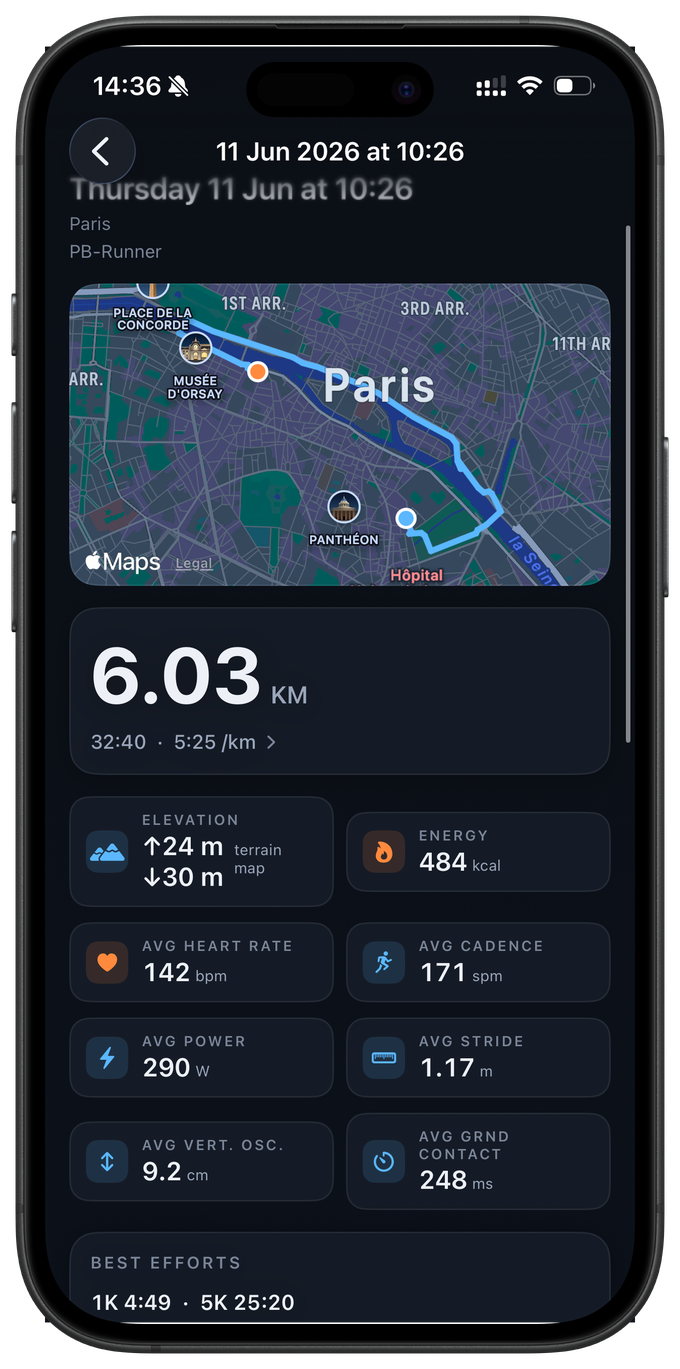
Recording with PB-Runner on an Apple Watch is the full picture: your GPS route, heart rate second by second, pace, distance and elevation, cadence, stride length, ground contact time, vertical oscillation and running power, plus a rep-by-rep breakdown of every guided session. Older watches simply leave out the metrics they don’t support.
Four things to get right, once
Sign in on your iPhone
Open PB-Runner and sign in with Apple. Your history, schedule and coaching live with your account, not with the device, so the same account on a second phone picks up where you left off.
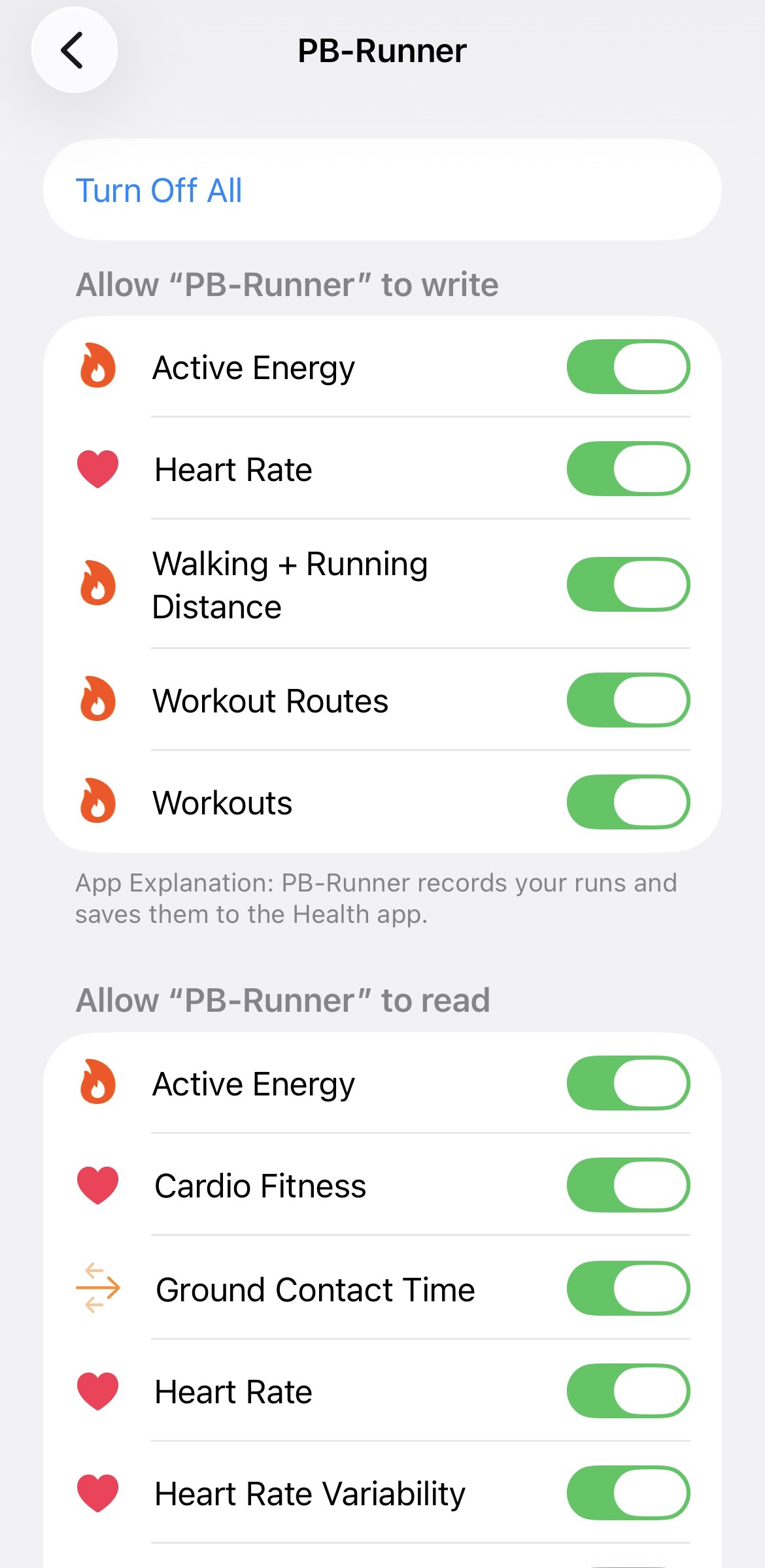
Turn the Health toggles on, not just Allow
PB-Runner asks for Apple Health access at first launch. The toggles in that screen start switched off, so tapping Allow without turning them on grants empty permission and nothing arrives. Tap “Turn On All” at the top, then Allow.
Your iPhone and your Apple Watch share one Health permission record, so this is the same grant for both. Getting it right once covers the pair.
Check it later, or fix it
On iOS 26 the toggles live in the Health app, not in Settings. Open the Health app, tap your profile picture, then Privacy → Apps and Services → PB-Runner, and make sure the running and workout categories are on. “Turn On All” is there too. If a run is in Apple Health but not in PB-Runner, this is the first place to look.
Allow Location, so your runs have a map
The watch and the phone each need location access to record your route. “While Using the App” is enough. Without it a run still records, with no GPS route and no map. Motion and Fitness access supports the on-device metrics while you record.
Recovery comes from Apple Health too
Resting heart rate, heart-rate variability and sleep are read from Apple Health, so anything your watch already records there feeds the coaching without you doing anything else. That is what lets your AI back a session off when you are not recovered, rather than coaching your training in isolation.
Record one and watch it land
Start a run from the watch, with or without your phone. The run reaches PB-Runner on its own. Give it a short while after you finish: Apple Health and the sync both need a beat to catch up.
Strava, Garmin and other apps
One rule covers every app: if it writes your run to Apple Health, PB-Runner can read it, and the run carries whatever that app chose to share. We never read from Strava, Garmin or anyone else directly.
What arrives depends mostly on where the run was recorded, not on the app’s name. That is why a Strava run from an Apple Watch comes in rich and a Strava run from a Garmin comes in thin.
Same app, different watch, different run
A Garmin run has no map and no running-form data because Garmin does not pass those to Apple Health. That is a limit of the bridge, which every app reading Apple Health hits, ourselves included. Distance, pace and heart-rate trends all come through, so your training load and your progression are intact.
Have a Garmin? Your older runs can also come in from a CSV export, see Import your history.
Bring in the runs you already have
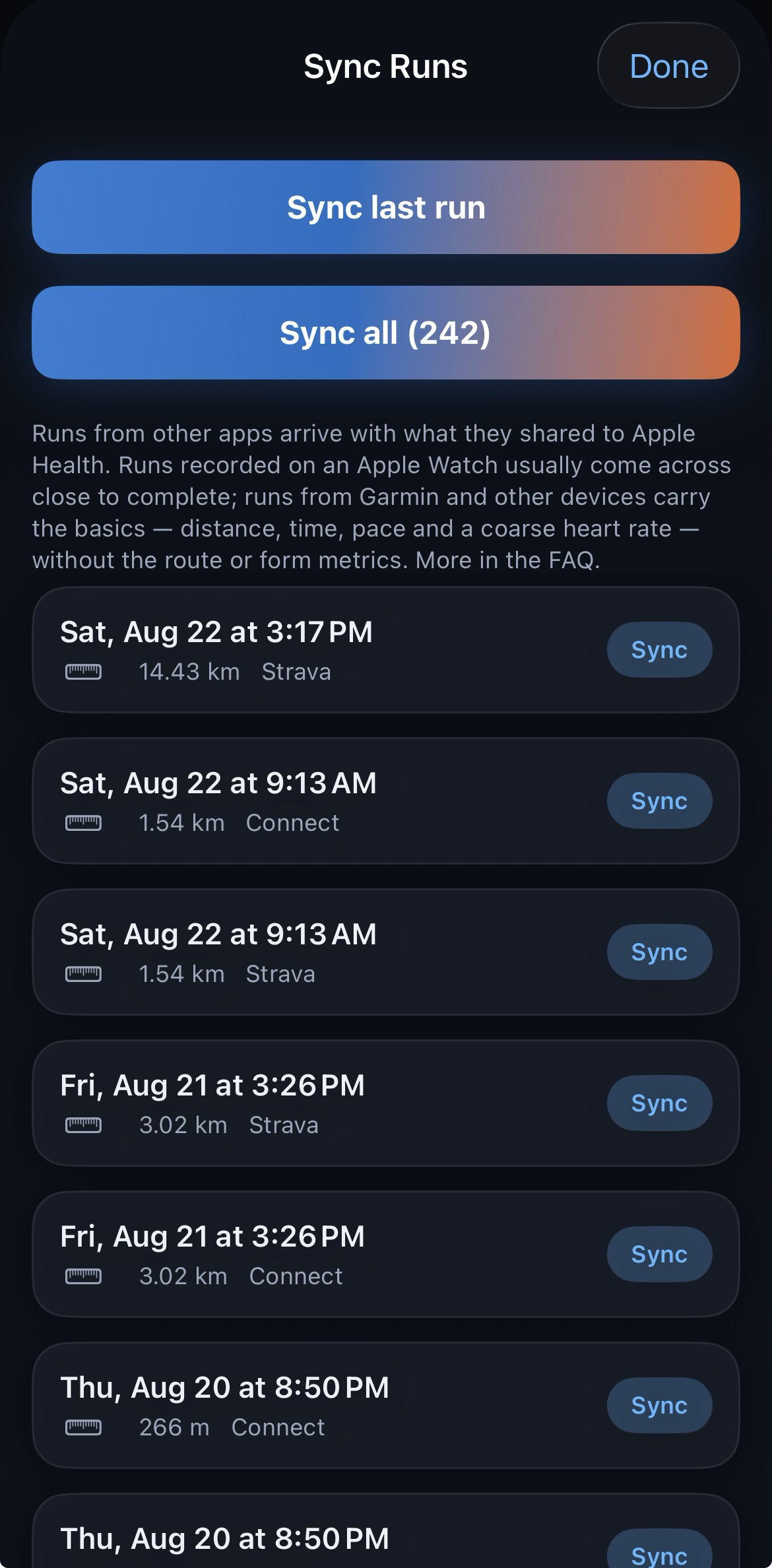
New runs arrive by themselves. Runs from before you joined do not, so you bring them in once from the Sync Runs screen: import everything in one go, or pick runs one by one.
- In the other app’s settings, turn on its Apple Health permission and let it sync. Garmin Connect and Strava each have their own Apple Health toggle inside their own settings.
- Check what actually arrived: in the Health app, go to Browse → Activity → Workouts and look for the runs.
- In PB-Runner, open the Runs tab and tap Sync Runs (top left). Anything that reached Apple Health is listed there, ready to import.
If the older runs never appear
Most apps only write new runs from the day their Apple Health permission is switched on, so older history may never arrive from their side. If the runs are not in the Health app’s Workouts list, they are not in Apple Health, and no setting in PB-Runner can reach them. On a Garmin, the CSV import in the next chapter is the way to bring that history in.
Strava works both ways
Any run you record with PB-Runner can be shared to Strava with one tap, so you keep your feed, your friends and your kudos. Runs coming the other way reach us once Strava writes them to Apple Health. PB-Runner sits alongside Strava. We don’t ask you to switch.
Garmin watches
PB-Runner is compatible with Garmin devices in two separate ways, and they solve different problems. The watch app plays the sessions your AI writes and sends the run back with its route, heart rate and splits. The CSV import brings in a Garmin history that never reached Apple Health.
Run your AI’s session on a Garmin
Your AI writes the session, and PB-Runner’s own Garmin watch app plays it. It counts you through the session step by step, the warm-up, each rep, each recovery, the cool-down, with your target on screen and a buzz and a tone at every change. The watch can’t speak, because Garmin doesn’t let watch apps use voice. When you finish, the run comes back to PB-Runner with its route, a time for every kilometre, and what you actually did in each rep.
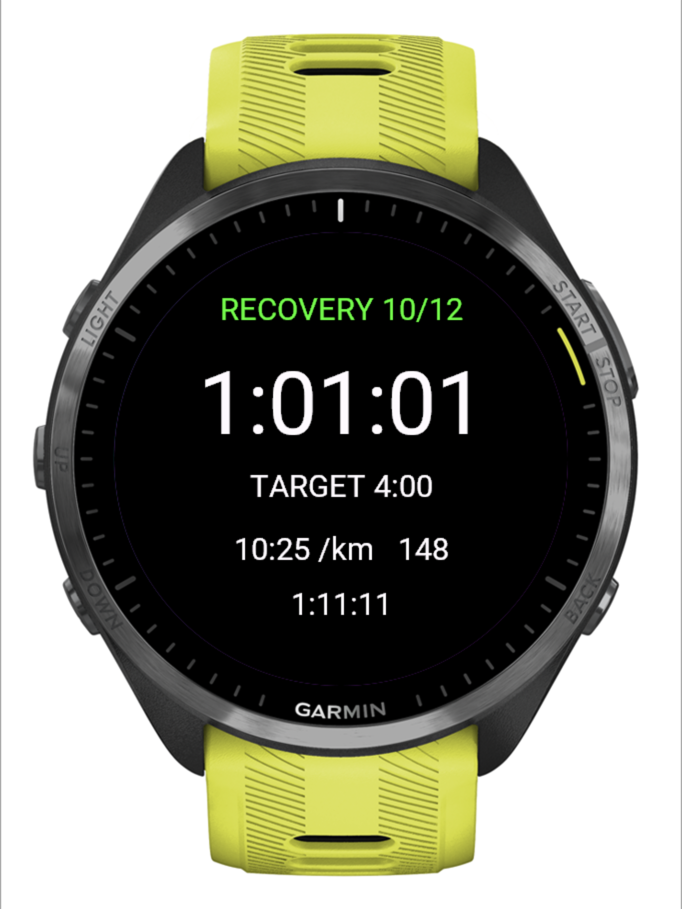
A session run this way doesn’t go through the Apple Health bridge at all, so it comes back with its route and heart rate rather than the thin summary that bridge carries. Runs your Garmin records in its own apps are unaffected, and on iPhone they keep reaching PB-Runner through Apple Health, as in the chapter above.
You do this once per watch.
Install PB-Runner on your watch
Open the Connect IQ app on your phone, search for PB-Runner, and install it to your watch.
Get your link code
In the PB-Runner app, open Settings, then Garmin, then Connect Garmin. You can also do it from your desk at pb-runner.com/garmin. A code lasts an hour and can be used once.
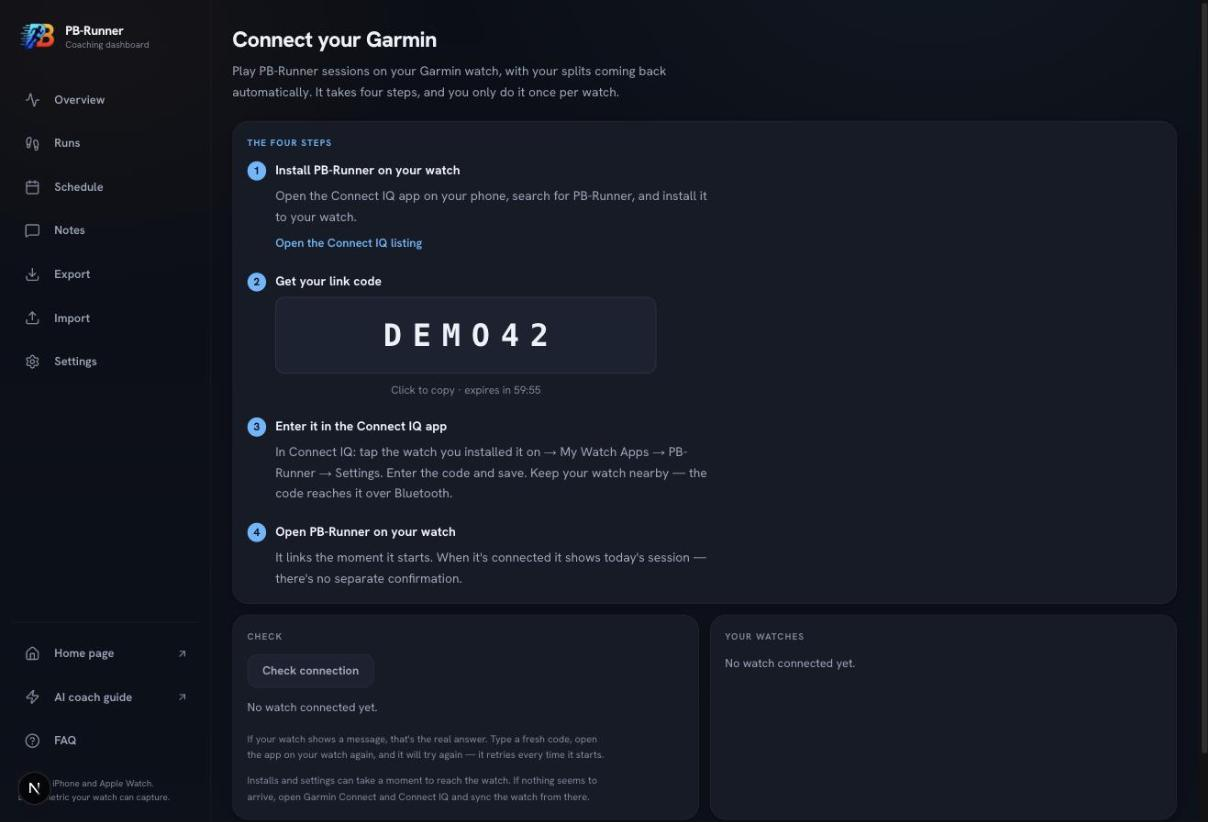
On Android it is the same place: Settings, then Garmin, then Connect Garmin. You can also use pb-runner.com/garmin in any browser, and the code works the same way.
Enter it in the Connect IQ app
In Connect IQ: tap the watch you installed it on, then My Watch Apps, then PB-Runner, then Settings. Enter the code and save. Keep your watch nearby, the code reaches it over Bluetooth.
The settings screen is inside the Connect IQ app, the same app step one installs from. If nothing seems to reach the watch, open Garmin Connect and Connect IQ and sync it from there.
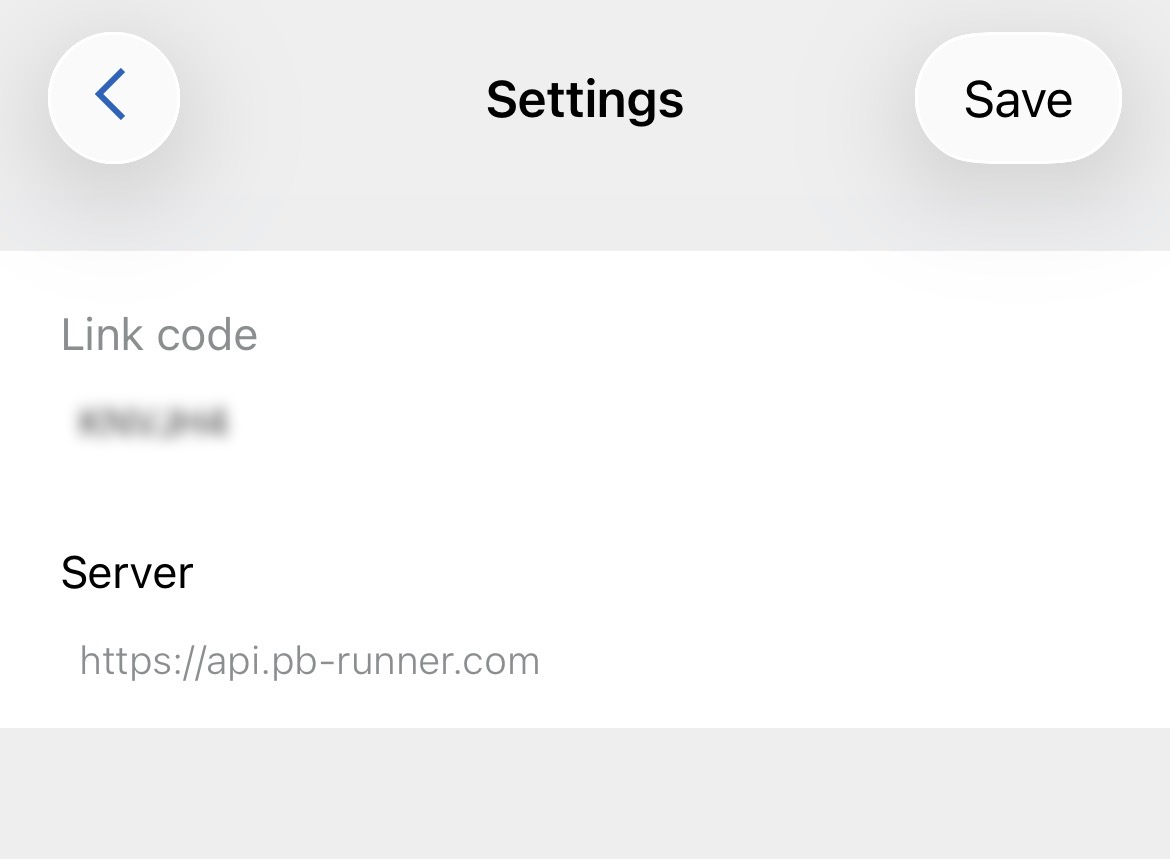
Open PB-Runner on your watch
It links the moment it starts. When it’s connected it simply shows today’s session, with no separate confirmation. If the watch shows a message instead, that message is the real answer: generate a fresh code, save it again, and open the app on your watch, which retries every time it starts.
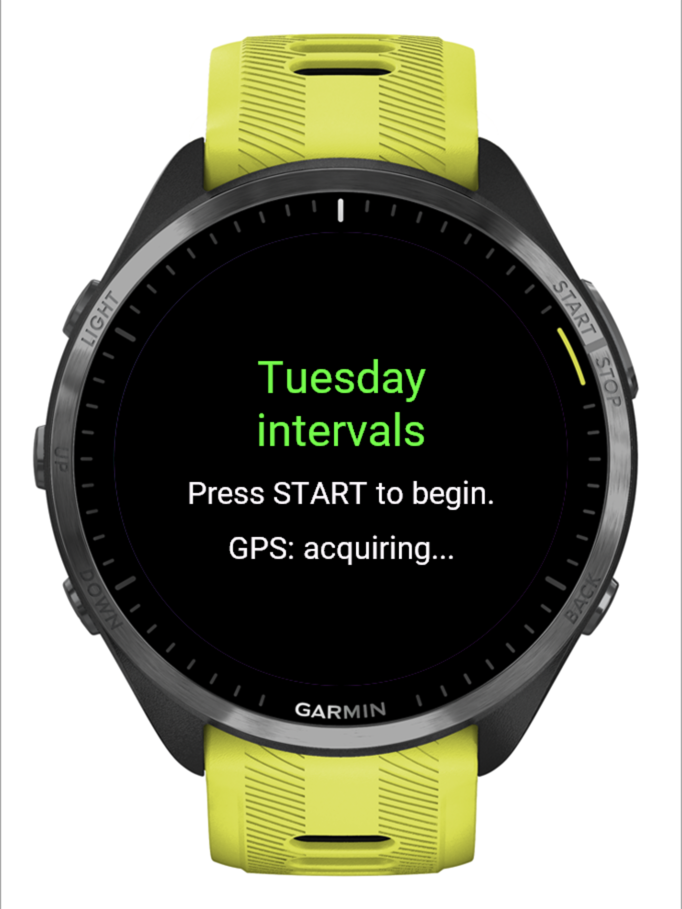
- Pace and distance on the watch follow the watch’s own units setting, not PB-Runner’s: change them in Settings, then System, then Units on the Garmin. The coaching works in speed, so the session is the same either way.
- When the last step ends the watch buzzes twice and shows DONE, and it keeps recording until you stop it: press the top-right button to pause, then the button below it, then choose Confirm at End run & save. Garmin’s own workouts behave the same way.
- A new watch connects the same way, from Settings, then Garmin, then Add another watch. Both watches keep working and both are listed, so tap Disconnect next to one you’ve sold or put in a drawer.
- A watch left unused for three months needs a fresh code. Generate one from the same screen.
The Garmin answers in full, including what to do when the code doesn’t reach the watch, are on the support page.
Import it from a Garmin Connect export
If your older Garmin runs never reached Apple Health, or you’re on Android where there is no Apple Health, you can bring them in from a CSV export. You do this on the web, on a computer.
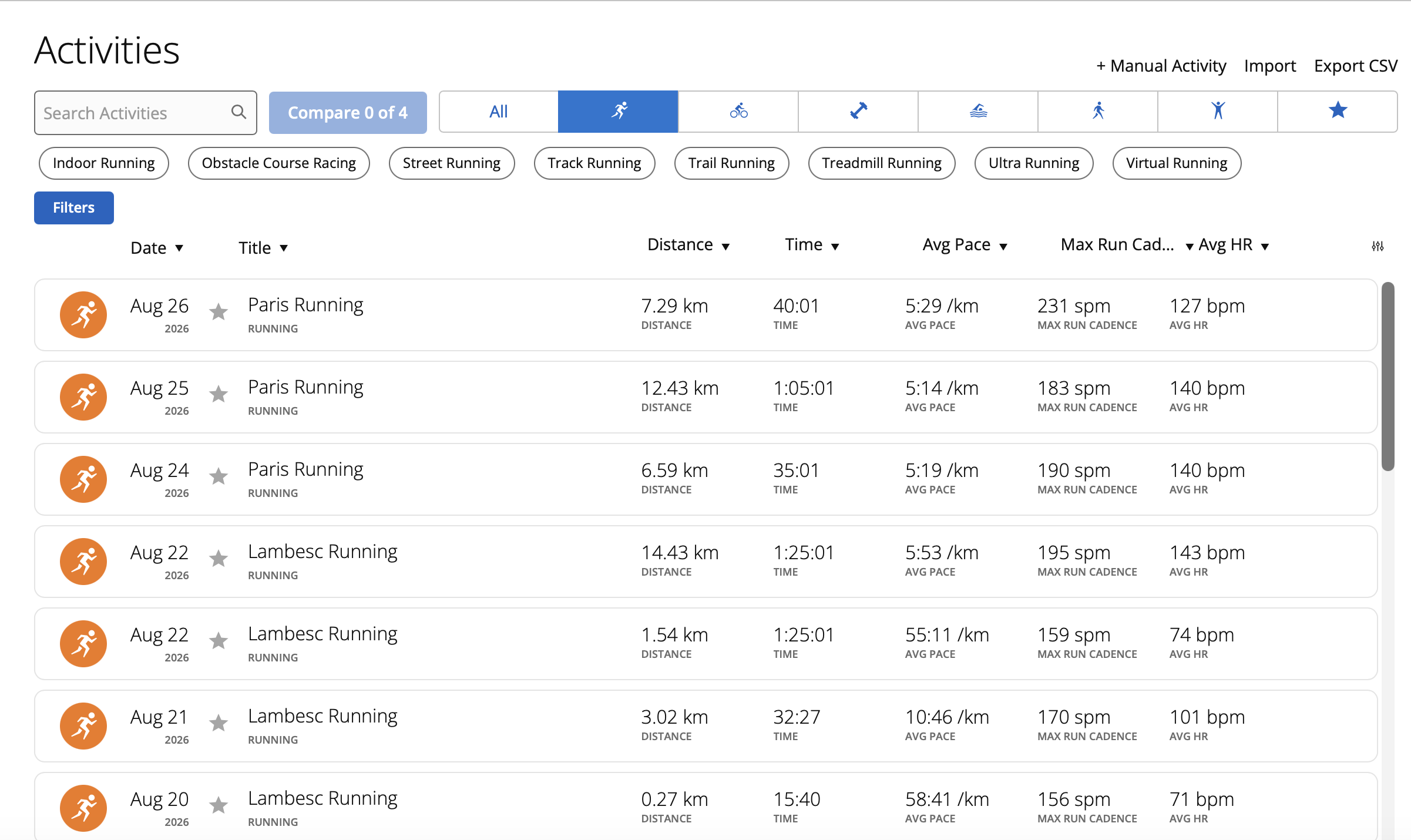
- In Garmin Connect on the web, open your running activities: connect.garmin.com/app/activities?activityType=running
- Scroll down until every run you want has loaded. The export only includes what is on the page, so a short scroll gives you a short file.
- Click Export CSV at the top right of the list. You get a file called Activities.csv.
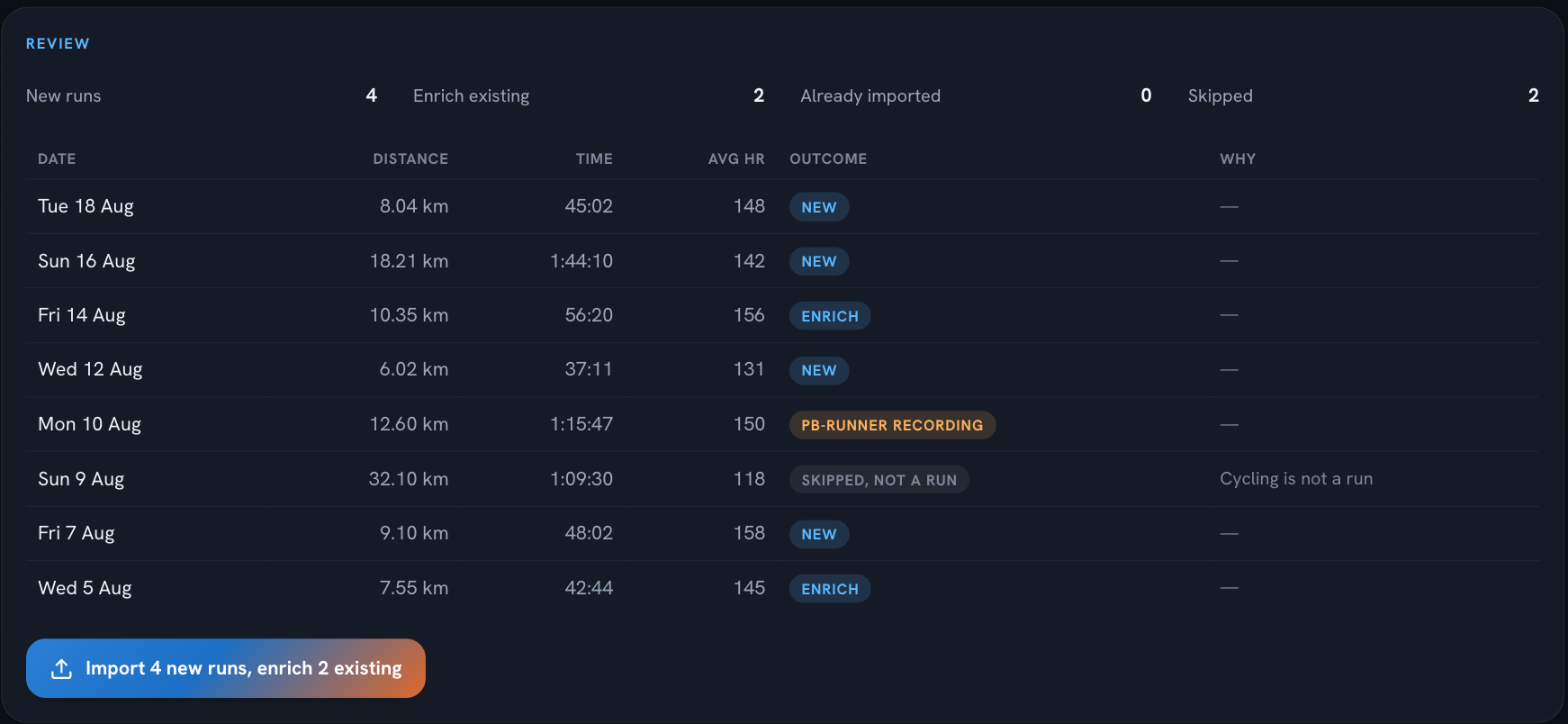
- Sign in at pb-runner.com/import with the same Apple or Google account you use in the app, choose the file, check the preview and confirm.
What comes across, and what doesn’t
What comes across is summary-level: distance, time and pace, average and max heart rate, elevation, cadence, stride length, calories and the run’s title. A CSV has no route, no splits and no per-second data, so these runs count toward your history and your training load but carry no map and no running-form metrics.
Runs that already reached PB-Runner through Apple Health are recognised and topped up rather than duplicated, and a run you recorded with PB-Runner itself is never imported twice. So it is safe to export more than you need.
Common questions
Is it really free?
The Claude free plan has usage limits that reset every few hours. A coaching session (setting a goal, building a plan, checking in after a run) fits comfortably within them. On the PB-Runner side, connecting your own AI is free for now and may become a paid option later.
Do I need the computer every time?
No. You add the connector once, in the browser or the desktop app. After that, your goal, plan and guided runs all live in the PB-Runner app on your phone and watch. Come back to Claude whenever you want to talk to your coach.
Do I have to do all four chapters?
No. Chapter one is the coach and chapter two is how your runs arrive, so most people do those two. Chapters three and four are there for the history and the watches you already have. Skip what doesn’t apply to you.
What can it see?
Your runs, your training history and the profile you build together. Every change it wants to make is proposed first; you confirm before anything is saved. See our privacy policy for the full picture.
Something not working?
Email support@pb-runner.com or see the FAQ on the support page.